Last week I decided I wanted to learn a new method in photoshop. I found a professional Photographer on Youtube named Matt Shannon who happens to be from BC. The video I watched was about a method to give colour to otherwise bland photos. I used his methods to try and alter a photo I took of a house and sunset.
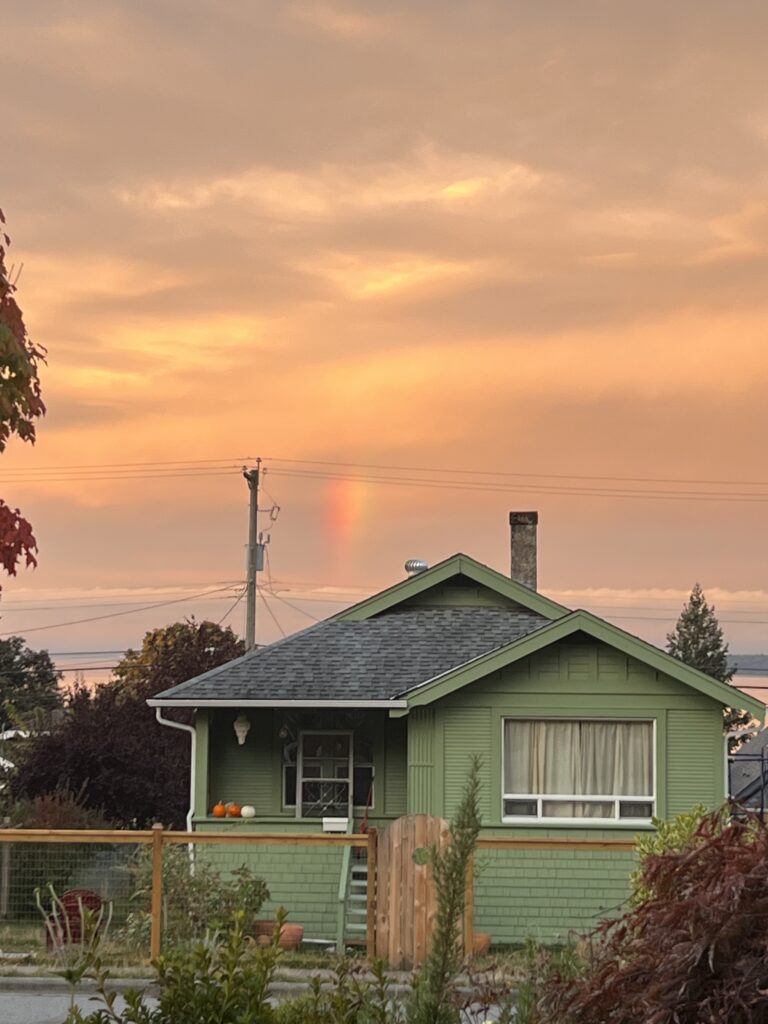

What I did here was add an adjustment layer, then selected solid colour and fiddled around until I found a colour that might be good for the house. The next step is to turn it from “normal” to “soft light”. Once you’ve done that you can turn the layer mask from black to white by pressing command I to conceal the selected colour. The reason for this is so we can use the “brush tool” to paint in the area we want to have that colour. Instead of the whole image.
This process of selecting a colour to overlay and painting in the desired area can be repeated for the different parts of the photo. I chose to have a darker green on the house and a grey for the roof. I like what I’ve done with the house but I think I needed to do something else with the sky. Non the less its clear how much better the house looks with just a few alterations. His video has a proper walk through of ways to use it and a better tutorial of how. Here’s the video I watched by Matt on how to edit using the Photoshop brush tool.